 Junction
Use a different browser for different websites on your Mac
Junction is a free, open-source macOS app that becomes your default browser and routes each link by your rules. macOS lets you pick only one default browser; with Junction in that slot, every website can have its own — and any site without a rule goes to the browser you pick as the fallback.
Can I set a different default browser for some websites?
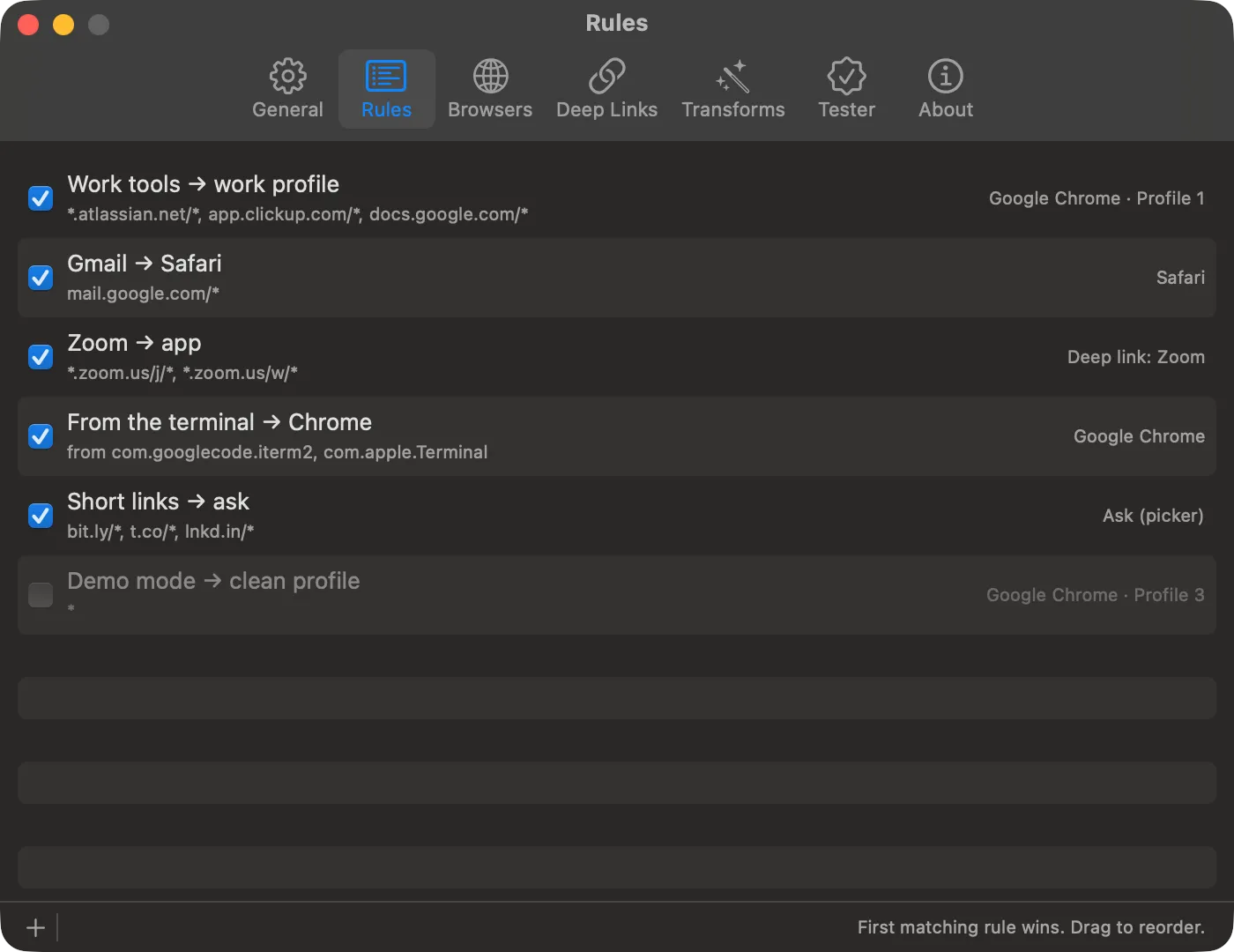
Yes. Make Junction your default browser, then add a rule for each site that should open somewhere else. Every link you click passes through Junction, which opens it in the browser its rule names.
{
  "name": "Google Docs → Chrome",
  "match": { "patterns": ["docs.google.com/*", "drive.google.com/*"] },
  "action": { "app": "com.google.Chrome" }
}$ junction test "https://docs.google.com/document/d/1abc/edit"
input: https://docs.google.com/document/d/1abc/edit
rule: [1] Google Docs → Chrome
action: open in com.google.Chrome
url: https://docs.google.com/document/d/1abc/editRules name a browser by its bundle ID:
| Browser | Bundle ID |
|---|---|
| Safari | com.apple.Safari |
| Google Chrome | com.google.Chrome |
| Firefox | org.mozilla.firefox |
| Microsoft Edge | com.microsoft.edgemac |
| Brave | com.brave.Browser |
A rule can also pick a browser profile — see Chrome profiles and Firefox profiles. To split work from personal browsing this way, see keeping work and personal separate.
How do I make Junction my default browser?
Choose it under System Settings → Desktop & Dock → Default web browser. Junction only sees links while it’s the default — that’s the one step it can’t work without.
Junction’s first launch walks you through it, along with picking a fallback browser and a few starter rules.
What happens to websites without a rule?
They open in your fallback browser. So does any link whose rule can’t be carried out — a browser that isn’t installed, or a profile that was deleted. Junction never drops a click.
{
  "fallback": { "app": "com.apple.Safari" }
}
Set the fallback to "picker" instead and every unmatched link asks you where to open — see choosing a browser per link.
Which rule wins when two rules match?
The higher one. Junction checks rules from the top and stops at the first match, so put specific rules above broad ones.
| Rules, top to bottom | A mail.google.com link opens in |
|---|---|
mail.google.com/* → Safari, then *.google.com/* → Chrome |
Safari |
*.google.com/* → Chrome, then mail.google.com/* → Safari |
Chrome — the Safari rule never runs |
If a link lands in the wrong browser, a broader rule above is almost always the reason — here’s how to find it.
How do website patterns match?
Patterns match the link’s host and path. The scheme is ignored, the host is case-insensitive, the path is case-sensitive, and the query string is ignored.
| Pattern | Matches |
|---|---|
reddit.com |
That host, every path on it |
app.clickup.com/* |
That exact host, any path below it |
*.atlassian.net/* |
Every subdomain and atlassian.net itself |
*.zoom.us/j/* |
* stays inside one path segment; ** or a trailing * crosses segments |
When the query string matters, use regex, which matches the full URL.
Can a website open in its Mac app instead of a browser?
Yes, for apps with a deep link: Zoom, Slack, Figma, Spotify, and more. See Zoom and Teams links, or add an app yourself.
Get Junction
Junction is free and MIT-licensed, for macOS 13 or later on Apple silicon and Intel. Install it with Homebrew or the DMG, then follow the first-launch steps.