 Junction
Join Zoom and Teams meetings in the app, not the browser
Junction is a free, open-source macOS app that becomes your default browser and routes each link by your rules. Its deep links turn a Zoom or Teams meeting link into an app link, so the meeting opens in the app and no “Open zoom.us?” tab is left behind.
How do I make Zoom links open in the Zoom app?
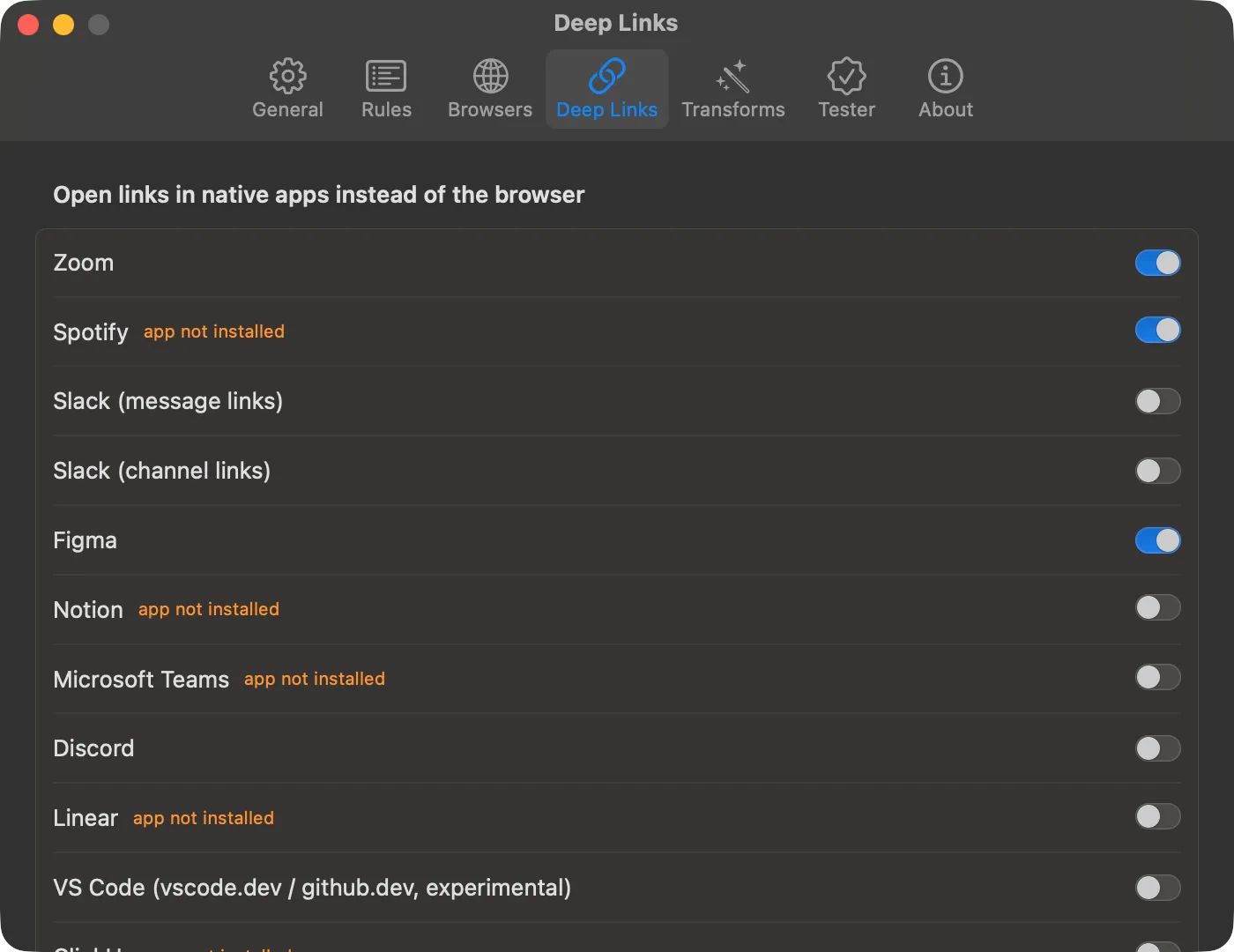
Turn on Zoom in Junction’s Settings → Deep Links, or write a rule with the deepLink action. Either way, Junction rewrites the web link into a Zoom app link, passcode included.
{
  "name": "Zoom → app",
  "match": { "patterns": ["*.zoom.us/j/*", "*.zoom.us/w/*"] },
  "action": { "deepLink": "zoom" }
}$ junction test "https://acme.zoom.us/j/1234567890?pwd=abc"
input: https://acme.zoom.us/j/1234567890?pwd=abc
rule: [1] Zoom → app
action: deep link (zoom)
url: zoommtg://zoom.us/join?confno=1234567890&pwd=abcHow do I open Microsoft Teams links in the Teams app?
Turn on Microsoft Teams in Settings → Deep Links, or add a rule for Teams’ /l/ links — the meeting and chat links people share.
{
  "name": "Teams → app",
  "match": { "patterns": ["teams.microsoft.com/l/*"] },
  "action": { "deepLink": "teams" }
}
Should I use a rule or the Deep Links setting?
Use the setting for the plain case. Use a rule when only some links should open in the app.
| Settings → Deep Links | deepLink rule |
|
|---|---|---|
| Off by default | Yes — turn on per app | Works as soon as you add it |
| Narrow it to some links | No | Yes, with patterns, regex, or source app |
What if the Zoom app isn’t installed?
The link opens in your fallback browser. A deep link only fires when an app that handles its URL scheme is installed; otherwise Junction degrades to the browser instead of losing the link.
Which other apps can Junction open links in?
Junction ships built-in deep links for Zoom, Teams, Slack, Discord, Figma, Notion, Linear, Spotify, and more — the docs list them all. Chat apps are in Slack and Discord links, and design and project tools in Figma, Notion and Linear links.
Can I add an app that isn’t built in?
Yes. Deep Links → Add App… takes the app’s name, its URL scheme, a regex for the web link, and a template for the app link, with a test field to check it before saving. Step by step: open any website’s links in its Mac app.
Get Junction
Junction is free and MIT-licensed, for macOS 13 or later on Apple silicon and Intel. Install it with Homebrew or the DMG, then follow the first-launch steps.