 Junction
Fix links that open in the wrong browser
Junction is a free, open-source macOS app that becomes your default browser and routes each link by your rules. When a link lands somewhere unexpected, the cause is almost always one of a handful of things, and Junction can tell you which.
Why does a link open in the wrong browser?
Almost always because a broader rule above is catching it first. Junction checks rules from the top and stops at the first match, so a rule like *.google.com/* near the top wins over mail.google.com/* below it.
Run junction test with the link to see which rule wins. It prints the rule and the action, and opens nothing:
{
  "name": "All Google → Chrome",
  "match": { "patterns": ["*.google.com/*"] },
  "action": { "app": "com.google.Chrome" }
}{
"name": "Gmail → Safari",
"match": { "patterns": ["mail.google.com/*"] },
"action": { "app": "com.apple.Safari" }
}$ junction test "https://mail.google.com/mail/u/0/"
input: https://mail.google.com/mail/u/0/
rule: [1] All Google → Chrome
action: open in com.google.Chrome
url: https://mail.google.com/mail/u/0/The fix is to move the specific rule — Gmail here — above the broad one. In Settings, drag it up the Rules list; in the config file, move it earlier in rules.
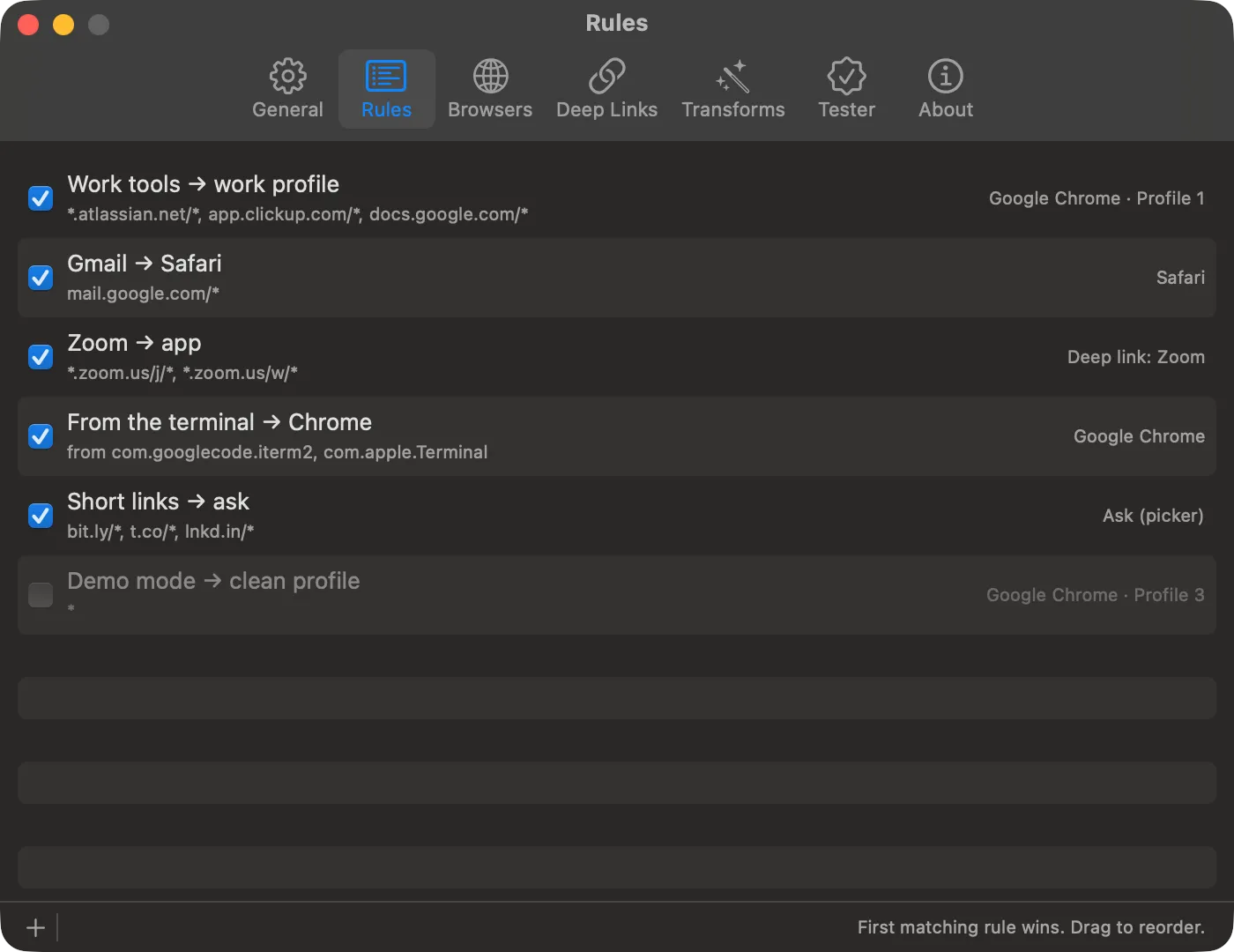
More on order in a default browser per website.
How do I test a rule that matches the app I clicked in?
Add --source with that app’s bundle ID, and junction test pretends the click came from it:
$ junction test "https://example.com/report" --source com.tinyspeck.slackmacgapSee routing links by app for those rules.
Why doesn’t Junction route any links at all?
Junction isn’t your default browser. It only sees links while it holds that slot, so re-select it under System Settings → Desktop & Dock → Default web browser.
Why does a rule open the fallback browser instead of its app?
Because Junction couldn’t carry the rule out, and it opens the fallback rather than the wrong thing. The usual causes:
| Cause | Fix |
|---|---|
| The browser or app isn’t installed | Install it, or change the rule |
| The browser profile was deleted | Point the rule at a profile that exists |
| A Firefox profile rule without Full Disk Access | Turn on Full Disk Access (below) |
| The link doesn’t fit the deep link | Check it in Settings → Deep Links — see adding an app |
| The config file has an error | Fix the file; the menu-bar icon flags it |
Why can’t I choose a browser profile?
macOS is blocking Junction from reading your browsers’ profile lists, and it never asks first. Turn on Junction under System Settings → Privacy & Security → Full Disk Access, then click Check Again or Refresh in Settings → Browsers. Junction only reads each browser’s list of profile names.
Why do Slack links open in the browser?
Slack permalinks don’t carry the team ID the Slack app needs. Add the workspace in Settings → Deep Links — see Slack links.
What if I broke the config file?
Your links keep routing. An invalid edit leaves the last rules that worked in place and shows a warning in the menu bar. junction config validate explains what’s wrong.
Get Junction
Junction is free and MIT-licensed, for macOS 13 or later on Apple silicon and Intel. Install it with Homebrew or the DMG, then follow the first-launch steps.